A growing share of malicious campaigns does not reveal the real phishing page, scam flow or final landing to every visitor. The attacker wants the page to appear only to the right victim: users from a specific country, using a particular mobile device, browser or user agent. Everyone else may see a harmless page, an error or a clean redirect. That is why many campaigns stay hidden unless they are analyzed with the right profile.
Why campaigns filter by country or device
Not every campaign is built for volume. Many are built for conversion. If the goal is to steal credentials from customers of a Spanish bank, impersonate a French telecom brand or target users of a local marketplace, showing the real landing to everyone only creates noise and speeds up detection.
That is why many URLs first check where the visit comes from and what kind of device is being used. If the request does not match the intended audience, the page changes behavior. That lowers visibility, complicates analysis and helps the campaign stay online longer.
In one run you may see a mobile phishing landing, in another a harmless redirect, and in another an apparently empty page. The difference is often not the URL itself, but the visitor profile used to open it.
What they usually check
The most common checks appear in phishing, brand abuse and targeted fraud campaigns. The goal is not complexity for its own sake. The goal is to make sure the real content is only shown to the user most likely to convert.
- IP country: the page only activates for visitors from a selected geography.
- Device type: some campaigns only reveal the real content on mobile, while others only do so on desktop.
- User agent and browser: the flow may differ between mobile Safari, Android Chrome or a desktop browser.
- Language and local context: text, currency, branding or payment flow may change depending on the expected country.
- Specific combinations: for example, only users from one country on an iPhone may get the real landing.
Why analysis often fails
When a URL is always analyzed from the same environment, it is easy to conclude that nothing important is happening. But many campaigns are built exactly for that. If they see a profile that does not look like the intended victim, they return a blank page, a clean redirect or generic content.
This is especially common in campaigns aimed at users from one specific country, customers who mostly use mobile banking, or services where device context matters. If you do not reproduce the expected context, the analysis only tells part of the story.
Sometimes it simply means the attacker chose not to show you the real campaign with that country, browser or device profile.
How URL Sandbox helps
This is where `URL Sandbox` becomes especially useful. Instead of relying on one single view, it allows analysts to review the same URL under different profiles and check whether the behavior changes. From the user-facing workflow, teams can select the country used for the analysis and adjust browser or device profiles to get closer to the intended target scenario.
That makes it possible to answer practical questions that matter:
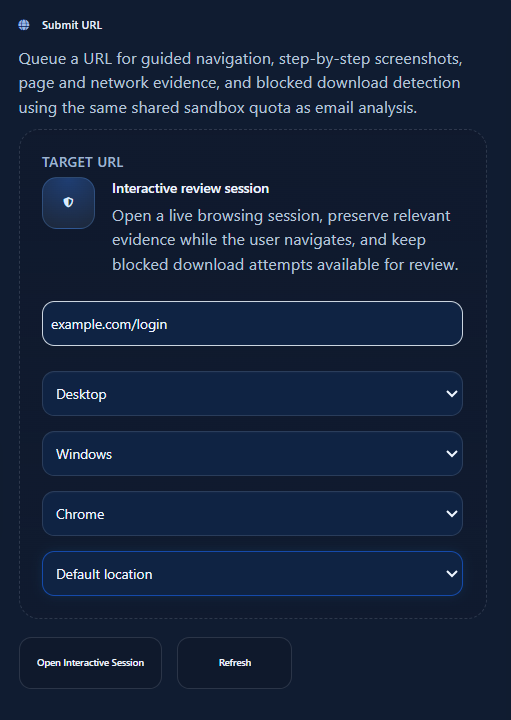
- Does the landing only appear from one country?
- Does the content change between mobile and desktop?
- Does the URL redirect differently with another user agent?
- Does the campaign try to look local depending on the selected country?
In practice, the value is not only seeing the page. It is comparing scenarios. If a URL looks harmless from a generic profile but reveals the real landing when launched with a specific country and device combination, the team gets a much stronger operational signal.
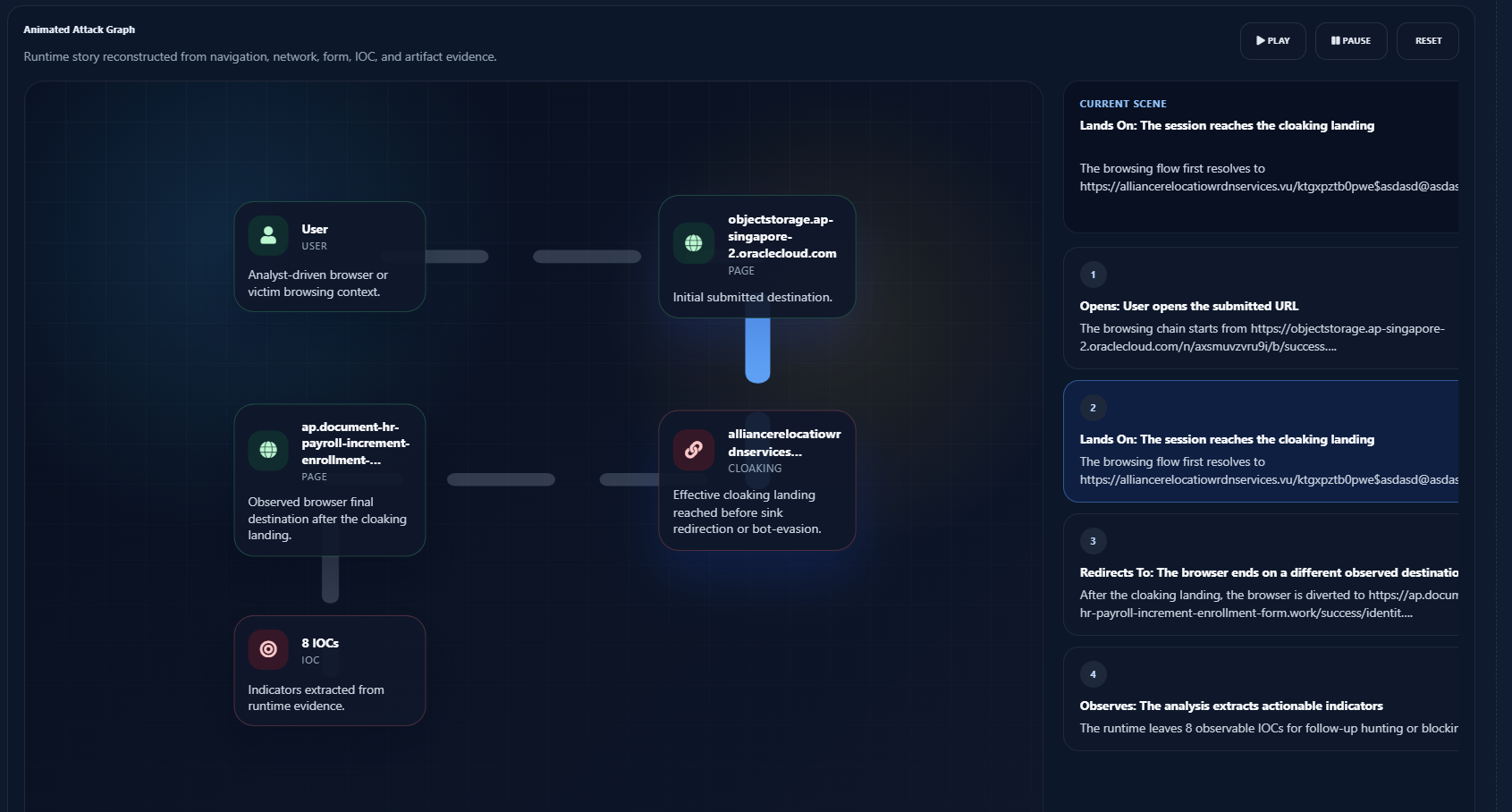
A simple analysis workflow
You do not need a complicated process to investigate this type of campaign. A clear workflow is often enough:
- Launch the URL with an initial profile and check whether the content looks generic or limited.
- Repeat the analysis with a different country to see whether another version of the landing appears.
- Compare the same link using a desktop profile and a mobile profile.
- Try different user agents if you suspect browser-based filtering.
- Keep the visual evidence from the scenario that actually triggers the campaign and use it to prioritize response, blocking or takedown.
This approach is especially useful when the URL seems harmless in a first review, when the affected brand mainly operates in one country, or when the real flow is likely to appear only on mobile.
Key takeaways
- Many campaigns no longer show the real content to every visitor.
- Filtering by country, IP, device or user agent is a direct way to reduce detection.
- A URL can look harmless under one profile and malicious under another.
- `URL Sandbox` helps reproduce different country, browser and device scenarios from one investigation workflow.
- Comparing profiles makes it easier to confirm targeted campaigns and capture stronger evidence for response.